
Southwest Airlines booked through Trip.com: how to claim a price drop
3 verified ways to get your money back, and why you must go through Trip.com, not Southwest Airlines.
Contact Trip.com, not Southwest Airlines
Your ticket is held by Trip.com, not Southwest Airlines. If you contact Southwest Airlines directly to cancel or change this booking, the airline may handle it in a way that wipes out the value left on your original ticket. All changes must go through Trip.com.
How to claim a price drop through Trip.com
3 methods ranked by ease and success rate.
- 1
Log into Trip.com, go to "My Trips", then "My Bookings"
- 2
Select your flight, tap "Cancel Booking", and review the refund terms
- 3
Trip.com offers a voluntary 24-hour cancellation window for flights to/from the US booked at least 7 days before departure — confirm eligibility before proceeding, then confirm the cancellation
- 4
Rebook the same flight at the lower fare on Trip.com
Do NOT cancel on the airline website. Trip.com manages your ticket. Refunds typically take 7–15 business days to post — the money is not returned instantly. Confirm your booking qualifies before canceling.
All claim methods
- 1
Log into Trip.com, go to "My Trips", then "My Bookings"
- 2
Select your flight, tap "Cancel Booking", and review the refund terms
- 3
Trip.com offers a voluntary 24-hour cancellation window for flights to/from the US booked at least 7 days before departure — confirm eligibility before proceeding, then confirm the cancellation
- 4
Rebook the same flight at the lower fare on Trip.com
Do NOT cancel on the airline website. Trip.com manages your ticket. Refunds typically take 7–15 business days to post — the money is not returned instantly. Confirm your booking qualifies before canceling.
- 1
Log into Trip.com, go to "My Trips", then "My Bookings"
- 2
Check your fare rules — confirm the ticket is refundable or flexible before proceeding
- 3
Before canceling, verify that the savings exceed any cancellation fee (Trip.com shows the refund amount before you confirm)
- 4
Trip.com will have you book the new flight first, then processes the refund on the original — budget 7–15 business days for the refund to appear
Only works for refundable or flexible fares. Non-refundable fares only return taxes and fees, not the fare itself. Change fees plus fare difference can sometimes exceed the original ticket price — always verify the math first. Do NOT contact the airline — Trip.com manages your ticket.
- 1
Open the Trip.com app and go to "My Trips"
- 2
Open your booking and tap the in-app chat to reach Trip.com support (24/7 — this is the only supported contact channel)
- 3
Explain the fare has dropped and ask if they can rebook you at the lower fare
Trip.com support operates via in-app chat only — there is no public phone number. Agents can be helpful but outcomes vary; users report significant wait times and follow-up needed to resolve changes. Do NOT contact the airline directly.
Southwest Airlines change fees
Even when claiming through Trip.com, the underlying fare class determines whether rebooking makes financial sense.
Southwest Airlines change fee by fare class
These are Southwest Airlines's fees. Trip.com may also charge additional service fees. Confirm the total before proceeding.
Or let Plot handle it for you
Instead of manually checking prices and figuring out whether to call Trip.com or Southwest Airlines, forward your confirmation once and we do the rest.
See how Plot’s flight price monitoring worksForward your confirmation
Forward your Trip.com booking confirmation for your Southwest Airlines flight to plans@plot.travel. That is the only thing you need to do.
We watch your fare 24/7
Plot continuously monitors your exact fare and knows you booked through Trip.com. When a price drop is worth acting on, we send instructions for the right channel.
Claim through the right channel
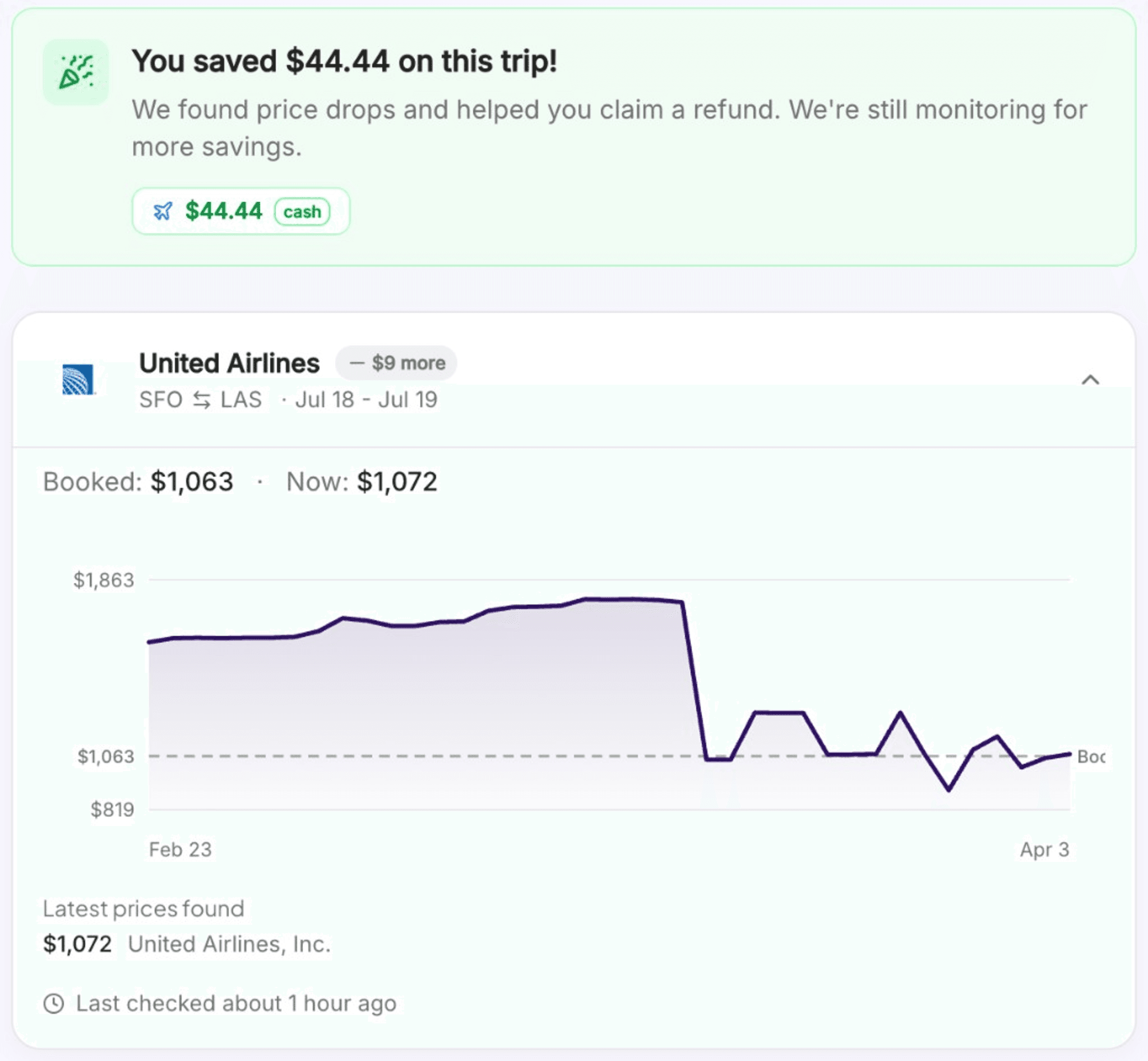
When the price drops, we notify you instantly with the savings amount and Trip.com-specific instructions, so you never accidentally contact Southwest Airlines when you should be contacting Trip.com.
Southwest Airlines via Trip.com: price drop FAQ
Common questions about claiming a price drop on Southwest Airlines when booked through Trip.com.
Contact Trip.com, not Southwest Airlines. When you book through a travel booking site, that site holds your ticket and owns your reservation. Southwest Airlines cannot process refunds or changes on a ticket issued by Trip.com. Doing so can wipe out the value left on your original ticket. We have documented 3 verified methods on this page.
No. The US federal 24-hour cancellation rule applies to tickets purchased directly from the airline, not through booking sites like Trip.com. Trip.com does offer its own 24-hour cancellation window on qualifying flights. This is a voluntary policy rather than a federal right, but it works the same way in practice: cancel, get a full refund, rebook at the lower fare.
Always contact Trip.com. Your ticket was issued by Trip.com, not the airline. If you contact Southwest Airlines directly to request a change or cancellation, the airline may handle it in a way that wipes out the value left on your original ticket. That is a common and expensive mistake. All changes must go through Trip.com's website, app, or support line.
Inside Trip.com's cancellation window, you typically receive a full cash refund to your original payment method. Outside that window, any fare difference is usually issued as a travel credit or Trip.com rewards (such as OneKeyCash for Expedia), not cash. See the specific methods above for payout details.
Plot monitors your Southwest Airlines booking around the clock after you forward your confirmation email to plans@plot.travel. When the price drops, we send an instant notification with the exact savings amount and step-by-step instructions specific to Trip.com's process, including the reminder to contact Trip.com, not Southwest Airlines.
Still have questions? Email us
Booked Southwest Airlines through a different site?
Booked directly with Southwest Airlines? See the direct booking guide
Browse all price drop guides · Last verified June 2026